RCM Auto
Driving comfort is not simply a softer seat. It is the steady support, clear sightlines, and manageable cabin environment that help reduce strain on everyday trips. A lumbar cushion may ease pressure on your lower back, while a well-positioned phone mount can keep directions visible without blocking the road. Small changes matter. But accessories should fit the driver and vehicle, not just look useful online.
The AAA Foundation for Traffic Safety’s 2017 study, “Visual and Cognitive Demands of Using Apple CarPlay and Android Auto,” assessed how in-car tasks can demand drivers’ attention. Its findings offer a useful reminder: comfort upgrades should not add fiddly controls or distracting screens. NHTSA guidance also stresses the importance of keeping attention on driving. That is where How To Improve Driving Comfort With Accessories begins: choose practical items, install them securely, and check that they do not interfere with visibility, seat-belt fit, or vehicle controls. A seat cushion that feels supportive in the driveway may shift on a long journey. It happens. Use the following ten tips as a starting point, then reassess after real drives. Comfort is personal, and one accessory rarely suits everyone. A little trial and reflection can prevent a promising purchase from becoming clutter.
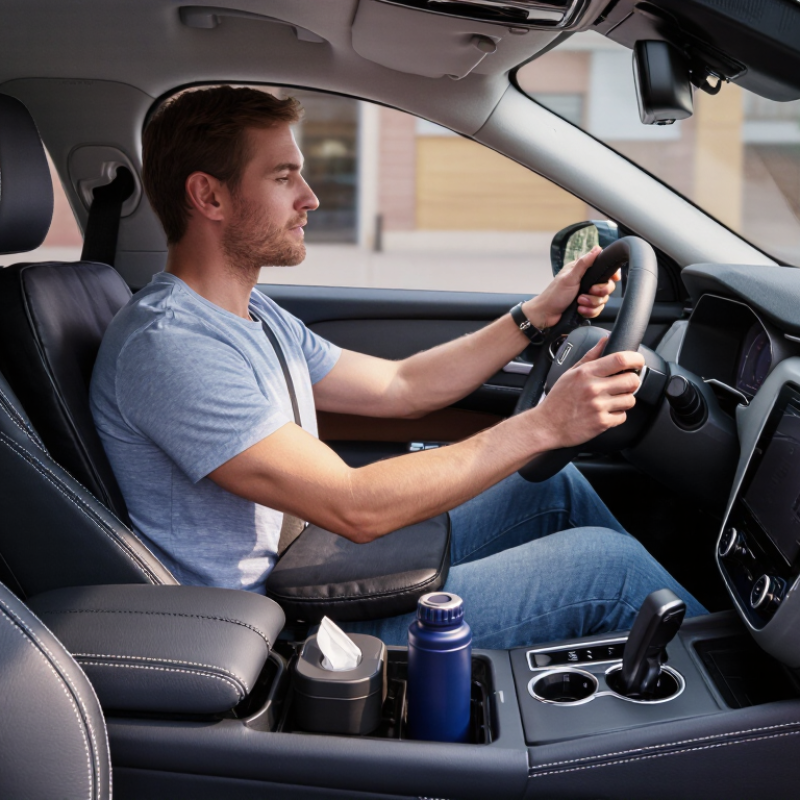
A neutral driving posture starts with the seat, not a thicker cushion. A systematic review and meta-analysis of professional drivers reported lower-back pain in about 54% of participants. That figure does not prove poor seating caused the pain, but it highlights why fit matters. Adjust the seat so your hips sit level with, or slightly above, your knees. Your feet should reach the pedals without stretching, and your shoulders should rest against the seatback.
Tips: Place lumbar support at your beltline, where your lower-back curve naturally sits. Add a cushion only if it keeps your hips level and leaves room to move. Check that the seat belt still lies snugly across your hips and chest. Follow your vehicle’s guidance about cushions and seat-mounted safety systems. Small changes matter.
Take a short drive, then notice whether pressure builds behind your thighs or your back feels pushed forward. Shift the support slightly; too much can create an exaggerated arch. There is no perfect setting for every body, and a comfortable position may need another adjustment tomorrow. That part is easy to overlook. Keep your posture relaxed, with your arms slightly bent and your view of the road clear.
| Tip | Accessory or Adjustment | Practical Setup | Comfort and Safety Check |
|---|---|---|---|
| 01 | Choose a supportive seat cushion | Select a cushion that distributes pressure without making the seat feel unstable. Position it flat and centered on the seat. | Check that your hips remain supported and the cushion does not slide during normal driving. |
| 02 | Set lumbar support gently | Place adjustable lumbar support at the small of your back, where it follows rather than exaggerates your natural lower-back curve. | You should feel supported without being pushed forward or feeling pressure concentrated in one spot. |
| 03 | Keep your pelvis level | Adjust cushion thickness and seat position so your pelvis feels balanced, with your weight spread across the seat. | Avoid a cushion that tilts your pelvis noticeably or causes you to slide forward. |
| 04 | Set seat height and distance | Adjust the seat so you can reach the pedals comfortably while keeping a slight bend in your knees. | Make sure the cushion does not raise you so high that it reduces visibility or changes your safe reach to the controls. |
| 05 | Support your thighs without pressure | Position the seat or cushion so your thighs are supported while the backs of your knees remain free of firm pressure. | You should be able to move your feet between pedals easily and comfortably. |
| 06 | Preserve seat-belt fit | Route and fasten the belt according to the vehicle manual after adding any cushion or support. | The lap belt should sit low across the hips, and the shoulder belt should cross the chest. Never place a cushion between your body and the belt. |
| 07 | Keep the head restraint correctly positioned | Adjust the head restraint after changing seat height or adding a cushion, following the vehicle manual. | Check that the restraint remains close to the back of your head and is not blocked or displaced by an accessory. |
| 08 | Choose breathable, secure materials | Look for a cover that allows airflow and has a non-slip base or attachment method suitable for your seat. | Confirm that straps and edges do not interfere with seat controls, airbags, or other vehicle safety features. |
| 09 | Test the setup before a long drive | Adjust one item at a time and take a short drive to assess posture, reach, and pressure points. | Reposition or remove any accessory that shifts, causes discomfort, or makes steering and pedal use less natural. |
| 10 | Take breaks and change position | On longer journeys, plan regular stops to stand, walk, and gently move before continuing. | Accessories can improve support, but they do not replace breaks or a comfortable, attentive driving position. |
It assesses whole-body vibration using frequency-weighted acceleration and exposure time. It is not a simple comfort score.
Use the same vehicle, route, tire settings, seat position, and approximate speed. Measure vibration at the seat and record trip length and road conditions. Repeat runs when practical.
Not always. A rough patch can skew a short test. Compare results across similar exposure periods, not just one quick impression.
Not for everyone. Also check heat, pressure points, and sliding. Numbers help, but they miss some details.
Yes. A thick cushion may raise your eye line or affect posture. Check that you can still reach controls easily.
Keep it low and within a brief glance, without blocking the road, mirrors, gauges, or controls. Secure the phone before moving.
Use it while parked, then remove it before driving. Check that side-window shades do not hide traffic or mirrors.
Make sure it fits snugly and leaves side-airbag seams unobstructed. Sit normally and check your view of the road and mirrors. I might miss a small obstruction at first, so check again.
How To Improve Driving Comfort With Accessories begins with supporting a natural, unrestricted posture. A well-fitted seat cushion or lumbar support can help keep the spine neutral without pushing the driver too far forward. Maintain at least 10 inches between your chest and the steering wheel to preserve recommended airbag clearance, and adjust accessories so they do not interfere with controls or safe movement.
For a smoother ride, check tire pressure monthly when the tires are cold and follow the vehicle’s recommended pressure. When comparing vibration-reducing cushions, consider how exposure changes with vibration intensity and time, using the principles of ISO 2631 as a guide. Sunshades, seat covers, and phone mounts can add comfort and convenience, but position them carefully so they never obstruct the driver’s view of the road, mirrors, or instruments.